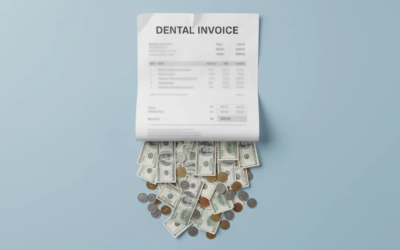
Every dental practice has hidden cash sitting in plain sight. It’s buried in aging reports, stalled in payer queues, and slowly creeping toward write-off territory. The real question is how much revenue you’re losing by not working unpaid dental claims systematically.
We see patterns repeatedly across practices that lack a structured approach to claims follow-up. Most of that money is recoverable with the right playbook. This post is that exact playbook you need. Read on for more.
How to Tackle Unpaid Dental Claims This Week
If you’re an office manager or practice owner looking for immediate action, here are five core moves you can execute in the next seven days:
- Pull a 0–120+ day insurance aging report from your practice management software with a specific run date
- Map out payer-specific timely filing and appeal deadlines for your top five insurance carriers
- Sort and prioritize claims by age, dollar amount, and payer behavior
- Check payer portals before picking up the phone; most claim status questions can be answered online in seconds
- Implement a simple follow-up script and tracking log so every call produces documented progress
The rest of this article is a tactical playbook designed for U.S. dental practices using standard practice management software like Dentrix, Eaglesoft, or Open Dental. We’ll walk through each step with specific examples, scripts, and templates you can use immediately.
At Prospa Billing, we follow this exact framework daily for dental practices across multiple states, applying the same disciplined approach described in our guide on how dental billing works and where practices lose money. Whether you execute it in-house or partner with a specialized dental RCM team, the fundamentals don’t change.
Understanding Unpaid Dental Claims (and What They’re Costing You)
An unpaid dental claim is any insurance claim that has been submitted but remains either entirely unpaid, partially reimbursed below the expected amount, or formally denied by the payer. Industry standards flag claims as concerning after 30 days from submission, with escalating urgency at 60, 90, and 120+ days.
Unpaid dental claims often result from incorrect patient data, missing documentation, coding mistakes, and failure to verify eligibility. Claims can also be denied if the treatment is not covered under the patient’s insurance plan, highlighting the need to verify coverage before procedures.
The revenue impacts are:
- Delayed cash flow disrupts your ability to cover payroll, supplies, and overhead
- Increased write-offs can reach 5-10% of annual production
- Staff overtime for manual follow-ups drains productivity
- Higher days in AR stretches from an optimal 30-45 days to 60-90+ days
Here’s a real-world scenario to put it in perspective: a two-doctor practice accumulating $120,000+ in 90+ day insurance AR by January 2026 directly erodes profitability amid rising overhead costs.
These claims appear in your practice management system’s insurance aging report, typically bucketed into 0-30, 31-60, 61-90, 91-120, and 120+ days. Understanding the buckets helps you prioritize your effort.
Four types of unpaid claims require different resolution strategies:
- Never-received claims – lost in transmission, showing no record in payer portals
- Pended claims – awaiting attachments like x rays or narratives
- Denied claims – rejected for errors or policy violations
- Underpaid claims – reimbursed below contracted rates due to bundling or coordination of benefits issues
If a dental insurance claim was not submitted, patients should first verify with their dental office whether the claim was actually filed by asking for a claim reference number or checking with their insurance provider directly. If a claim was not submitted by the dental office, patients can file the claim themselves by obtaining an itemized statement from their dentist, completing their insurance company’s claim form, and submitting it with the necessary documentation.
Prospa Billing focuses specifically on converting these aging claims into collected revenue through outsourced dental insurance billing services while keeping providers compliant with payer rules and HIPAA.

Step 1: Build a Clean, Actionable Insurance Aging Report
Everything starts with a clean, accurate aging report generated from your practice management or billing software. Dental practices should actively follow up on claim submissions, using an aging report to prioritize actions based on the claim age, supported by a solid grasp of dental billing and coding fundamentals.
Generating the Report
In Dentrix, navigate to the Reports module, select “Insurance Aging” under Accounts Receivable, apply filters for insurance-only claims, set the aging method to “Statement Date” or “DOS,” and export to PDF or CSV.
In Open Dental, use the “Account Billing” or “Outstanding Claims” report from Reports > Billing menu. Customize to exclude patient portions and highlight payer-specific AR.
Run reports with a specific date—for example, as of April 30, 2026—to capture current outstanding balances.
Essential Data Columns
Your report should include:
| Column | Purpose |
|---|---|
| Claim Date | When the claim was submitted |
| Date of Service | When treatment occurred |
| Patient Name | Identify the account |
| Subscriber ID | Match to insurance records |
| Payer Name | Route to correct portal/contact |
| Claim Amount | Original billed amount |
| Balance Outstanding | Remaining balance owed |
| Last Activity Date | Track follow-up timing |
Filtering Non-Actionable Items
Remove these from your working list:
- Small balances under $5 per practice policy
- Claims already marked in active appeal status
- Claims escalated to collections agencies
Organizing for Action
Bucket outstanding dollars into standard categories and total each:
- 0-30 days: $15,000
- 31-60 days: $28,000
- 61-90 days: $35,000
- 91-120 days: $22,000
- 120+ days: $72,000
Export to Excel or Google Sheets so your team member can add columns for “Status,” “Follow-up Date,” “Contact Method,” and “Notes.” This transforms a static report into a dynamic tracking tool.
Step 2: Prioritize Claims So You Don’t Miss Money
Not all unpaid claims are equal. Prioritization prevents losing revenue to timely filing and appeal deadlines. Timely filing limits for dental claims typically range from 90 to 180 days after the date of service. Filing dental insurance claims promptly is crucial because delays can lead to immediate denials, even if the care would have otherwise been covered.
Claims can be denied if they are filed too late after the service was completed, emphasizing the importance of timely submission. Timely filing deadlines for dental claims vary by insurer and plan, making it essential for dental practices to understand these limits to avoid lost revenue.
Priority Levels
Priority A: About to expire Claims nearing timely filing or appeal limits. For payers like Aetna (9-11 months) or most dental plans with 12-month limits like Cigna, flag anything approaching those windows.
Priority B: High risk (61-120 days) These claims have likely been denied or pended and need immediate intervention before they become unrecoverable.
Priority C: High-dollar items (0-60 days) Even newer claims deserve attention if they exceed $1,000—think implants, multiple crowns, or root canals.
Ranking Criteria
- Claim age relative to payer-specific filing limits
- Claim amount (prioritize >$1,000 for specific procedures)
- Payer behavior (slow or denial-prone dental PPO networks with 20-30% rejection rates)
- Clinical urgency (major restorative work vs. routine prophy)
Sorting Your Report
Most software or Excel makes this a two-click sort: Data > Sort > Multi-level. Sort first by payer, then by days outstanding, then by dollar amount.
Example: For a report run on April 30, 2026, flag all claims with DOS before July 1, 2025, as urgent for payers with 12-month filing limits.
Scenario: Prioritizing 20 high-dollar Delta Dental and Cigna claims totaling $48,000 (root canals at $1,200 each) could yield 70-80% recovery if acted upon within windows versus total write-off post-deadline.
Prospa Billing typically commits to clearing the 90+ day bucket first within the first 60 days of engagement, as these claims often comprise 40-60% of total AR value.
Step 3: Diagnose Why Each Claim Is Unpaid
The fastest route to payment is understanding the exact reason each particular claim is stuck. Administrative errors such as incorrect patient data or policy-related issues like frequency limits often cause unpaid claims. If a dental claim remains unpaid, it is important to identify if it was rejected due to missing information or denied due to policy limits.
Diagnostic Process
- Check practice software notes for any logged activity
- Log into the payer portal for claim status
- Call only if portal info is missing or unclear
Common Unpaid Reasons
Errors that trigger immediate claim rejections include misspelled patient names, incorrect subscriber IDs, and outdated CDT codes. Common reasons for dental claim denials include coding errors, missing information, policy limitations, and medical necessity. Common reasons also include incorrect patient information, such as out-of-date personal info or typos, and incorrect billing codes.
A claim may be denied due to frequency of service issues, meaning that the treatment may not be covered if it exceeds the allowed frequency as per the dental insurance plans.
| Reason | Example |
|---|---|
| Incorrect patient DOB/subscriber ID | DOB entered as 1985 instead of 1958 |
| Missing attachments | No PA x-ray for D2740 crown |
| Wrong CDT code | D2391 vs. D2392 for resin restorations |
| COB issues | Dual-coverage coordination errors |
| Frequency limitations | Prophy billed 3x when benefit allows 2x/year |
| Waiting periods | Crown submitted during 12-month waiting period |
Documenting Root Causes
For each claim, document the root cause in your tracking sheet under a “Reason/Status” column. Create standardized internal reason codes:
- NR – Not received
- PEND – Pending attachments
- DEN-INFO – Denial for data/incomplete docs
- DEN-BENEFIT – Policy exclusion
- UNDERPAY – Short payment
Case example: A January 15, 2026, molar root canal claim to Guardian gets denied for missing PA x-ray. Tagged “DEN-INFO,” this triggers immediate resubmission with the radiograph and narrative, overturning 60-70% of such cases.
Prospa Billing uses denial analytics across clients to spot payer trends, such as a spike in crown denials from a specific PPO, and adjusts documentation protocols accordingly, drawing on playbooks for preventing the most common dental claim denials.
Step 4: Use Payer Portals and Verification Tools Before Picking Up the Phone
Payer portals for insurance companies like Delta Dental, UnitedHealthcare, and MetLife dramatically reduce time on hold and provide precise claim status. Batching appeals by insurance company can improve efficiency when tracking unpaid claims, as it reduces the number of phone calls and time spent on hold with insurance representatives and dovetails with broader dental billing service best practices for growing practices.
Portal Capabilities
- Claim receipt confirmation
- Adjudication status (processed, pending, denied)
- Explanation of benefits viewing
- Remittance downloads
- Required attachments or benefit information
Example: Checking a March 3, 2026, Cigna claim in the Cigna for Health Care Professionals portal might show “Processed, underpaid $150 due to COB—resubmit secondary.”
Creating a Portal Directory
Build a one-page “Portal Directory” including:
- Payer name and portal URL
- Login credentials (secured via password manager like LastPass)
- Assigned staff member with access
Logging Portal Findings
Document in your tracking sheet: date checked, status, and next action. For example: “Portal checked 05/01/2026: Denied EOB-45 frequency limit, next: Appeal by 05/15/2026.”
Batch Processing
Work all outstanding claims for one insurance carrier at a time to minimize login/logout overhead and mental switching. This approach lets a single team member clear 20-30 claims per hour versus 5-10 when jumping between payers.

Step 5: Execute Structured Follow‑Up Calls with Proven Scripts
Phone calls remain necessary for complex or stalled claims. Scripts and documentation prevent wasted calls and ensure you capture the relevant information needed for resolution, especially when much of the day-to-day follow-up is handled by a dental insurance billing company.
Base Call Script
“This is [Staff Name] from [Practice Name], NPI [Number], TIN [Number]. I’m checking status on a claim for patient [Name], subscriber ID [Number], date of service [Date], amount [$XXX], claim number [Number]. It’s been 45 business days past submission without an explanation of benefits.”
Script Variants
For “claim not on file”:
“Can you confirm receipt? I’ll need to resubmit. What’s the best fax or portal upload for attachments? Can you provide a confirmation number for this call?”
For denied claim clarification:
“What’s the specific denial code and reason? Can you cite the policy language? What exactly do I need to submit to overturn this? What’s the reprocessing timeline once I submit?”
Ending Every Call
Every call should end with a concrete commitment from the payer:
- Claim reprocess date (e.g., “Check issued by 05/20/2026”)
- Representative name
- Call reference number
Log this immediately in your tracking sheet.
Sample Log Entry
| Date | Payer | Rep Name | Ref # | Outcome | Next Action |
|---|---|---|---|---|---|
| 05/01/2026 | Delta Dental | Sarah M. | 8472615 | Denied – missing x-ray | Resubmit with PA by 05/05 |
Professional but firm language matters. Challenge incorrect denials politely but persistently—this yields 25-40% uplift in collections compared to passive acceptance.
Step 6: Correct, Resubmit, or Appeal with Proper Documentation
You should aim to understand the difference between corrections, resubmissions, and formal appeals to choose the right approach. Insurers are required to explain why they denied coverage, and documentation must be provided to justify the service as part of a broader strategy to streamline dental insurance and patient payments.
When to Use Each Action
| Action | When to Use |
|---|---|
| Corrected claim | Data errors (DOB fix, subscriber ID correction) |
| Resubmission with attachments | Missing x rays, photos, or supporting documents |
| Formal appeal | Denial based on interpretation of benefits or medical necessity |
When a dental claim is denied, you need to file an appeal promptly to ensure that revenue flows steadily into the practice. Approximately 70% of appeals for denied dental claims are approved when submitted correctly, highlighting the importance of a well-prepared appeal process.
Documentation for Common Procedures
To improve the chances of a successful appeal, it is recommended to include supporting documentation such as x-rays, photos, or charting that justifies the necessity of the procedure.
- Crowns and root canals: Periapical and bitewing x rays, clinical narrative with chart notes
- Scaling and root planing: Periodontal charting showing pocket depths >5mm, bone loss documentation
- Implants: Pre-op and post-op photos, detailed clinical narratives
Claim appeal packets should include a copy of the original claim, the denial letter, a cover letter, and supporting clinical evidence.
Step-by-Step D4341 Appeal Example
For a denied D4341 scaling and root planing claim from March 2026:
- Gather periodontal charting showing pocket depths >5mm
- Reference ADA CDT description and the payer’s SRP criteria
- Write narrative: “Patient exhibits moderate periodontitis per exam 02/15/2026. Scaling and root planing medically necessary per clinical findings.”
- Submit via portal or certified mail
- Track appeal date and monitor 30-45 day timeline
Tracking Appeals
Log submission dates and payer-stated reconsideration timelines in your AR tracking sheet. Prospa Billing develops payer-specific appeal templates for recurring denial reasons. Your practice can create similar templates to speed responses and avoid avoidable write offs.
Step 7: Build a Weekly Claims Management Rhythm
The key to keeping unpaid claims low is a fixed weekly schedule and clear ownership, not random catch-up sessions. Consistently track and manage the status of submitted claims to ensure that no claims are lost to timely filing limits, which can significantly impact cash flow for dental practices, and consider how outsourcing dental insurance billing can support that consistency.
Tracking unpaid dental claims should begin immediately after submission, as the claims process does not end once the claim is sent to the insurance company. It is recommended to work through the insurance aging report at least once a week to ensure that unpaid claims are followed up on regularly and do not exceed timely filing limits.
Sample Weekly Cadence
| Day | Focus | Time Block |
|---|---|---|
| Monday | Work 60-90 day claims via portals | 9-11 AM |
| Wednesday | Address >90 day claims (calls/appeals) | 9-11 AM |
| Friday | Review new denials from the week | 10-11 AM |
Assigning Ownership
Designate a single “claims owner” (or small team) with explicit responsibilities and KPIs:
- Reduce 60+ day insurance AR by 20% over 90 days
- Touch 80% of claims weekly
- Submit all appeals within 7 days of denial
Weekly Metrics Review
Track these numbers:
- Total insurance AR
- Dollars in each aging bucket
- Number of unpaid claims by payer
- Claims touched that week
Before/after example: Reducing 90+ day AR from $72,000 in February 2026 to $18,000 by June 2026 through consistent execution.
Prospa Billing runs standing weekly huddles with clients to review AR dashboards and decide priorities; a practice any dental office can replicate.
Tools, Templates, and Roles You Need for Reliable Collections
Processes only work when backed by the right tools, templates, and clearly defined team roles that ensure steady cash flow, whether you keep billing in-house or explore outsourced dental billing options.
Core Tools
- Practice management software claim and aging reports
- Payer portals (bookmarked and organized)
- Secure document storage for x rays and photos
- Excel/Google Sheets or AR dashboards
- Secure communication tools (HIPAA-compliant)
Key Internal Roles
| Role | Responsibility |
|---|---|
| Front desk | Eligibility verification, pre treatment estimate, capturing insurance plan details |
| Treatment coordinator | Patient financial discussions, payment plan setup, explaining patient’s responsibility |
| Insurance biller | Claims submission, AR follow-up, appeals |
| Practice owner/Office manager | Oversight, policy decisions, KPI review |
Essential Templates
- Unpaid claims tracking sheet with status codes and next actions
- Call log form capturing date, rep, reference number, outcome
- Standard appeal letter skeleton customizable per procedure
- Claim re-submission checklist ensuring complete documentation
Training Schedule
Schedule periodic training (twice a year minimum) on CDT code updates and payer policy changes. Licensed dentists and dental professionals benefit when administrative staff stays current, reducing future denials from small mistakes.
Prospa Billing can either supplement in-house roles or fully manage the billing and AR function, integrating with whatever practice software your clinic uses through our medical and dental billing outsourcing services.
Preventing Future Unpaid Claims
The ultimate win is redesigning front-end workflows to prevent denials and maintain consistent cash flow, supported by choosing a high-quality dental billing company if you decide to outsource.
Preventive Steps
Real-time eligibility checks: Verify dental benefits and dental benefit coverage before every particular treatment. Check annual maximums, waiting periods, and covered services.
Same-day claim submission: Submit claims for all completed dental work by end of next business day. Example: All May 1, 2026 dental services submitted by May 2, 2026. Never submit paper claims when electronic options exist. Electronic claims process in 7-14 days versus paper’s 30+.
Mandatory attachment rules: Build clear protocols requiring current PA x-ray and narrative for any D2740 crown in your internal workflow. This prevents missing attachments and claim rejections.
Pre treatment estimates: Request pre-authorization for major work to avoid surprises about benefit information.
To prevent future claim submission issues, patients should verify their insurance information at each visit and request confirmation when a claim is filed, including obtaining a copy of the claim or a claim reference number.
Periodic Audits
Review a random sample of 30 claims each quarter to check documentation quality and coding accuracy. Look for patterns in claim form errors or missing information.
Prospa Billing often starts engagements with a 60-90 day historical audit to identify patterns, like recurring coding or documentation gaps, then adjusts front-end workflows accordingly, similar in spirit to a focused medical billing assessment. This approach helps practices achieve better oral health outcomes by ensuring patient care isn’t interrupted by billing disputes.
When to Bring in an Outsourced Dental Billing Partner
Many dental practices lack the time or staff capacity to execute this entire playbook consistently. Managing AR can feel like a full time job, and there are several critical signs your dental practice needs billing help that are worth watching for.
Signs It’s Time to Consider Outsourcing
- Insurance AR exceeds 10-12% of monthly production
- Constant staff turnover in front office
- Doctors or hygienists spending time on billing follow-up (time consuming)
- Aging reports showing many claims over 90 days
- Staff struggling to keep up with health plans changes
How Prospa Billing Engages
For practices that want a specialist partner, it helps to understand who Prospa Billing is and how we operate before diving into the engagement steps below.
- Initial AR audit – Review current aging report and identify quick wins
- Clean-up phase – Clear 60+ day claims aggressively
- Ongoing management – Claims submission, payment posting, denial management, reporting
The benefit? Freeing your in-office team to focus on patients while ensuring every submitted claim gets the follow-up it deserves, saving money on write-offs and improving profitability when you’ve carefully chosen the right dental billing company.
Bringing It All Together: A Repeatable System for Every Dollar
Here’s the core framework:
- Build a clean aging report from your practice software
- Prioritize by filing deadlines, dollar amount, and payer behavior
- Diagnose each claim’s specific issue
- Use payer portals before making calls
- Execute structured follow-up with scripts and documentation
- Appeal smartly with supporting documentation and additional documentation
- Maintain a weekly rhythm with clear ownership
Once documented, this becomes a repeatable system that any trained team member (or Prospa Billing as an external partner) can run, especially when supported by comprehensive medical and dental billing outsourcing. The practices that collect every dollar treat AR management as a system, not a scramble.
Same-Month Launch Plan (May 2026)
- [ ] Week 1: Pull aging report, create tracking spreadsheet, map filing deadlines
- [ ] Week 2: Work Priority A claims (90+ days) via portals and calls
- [ ] Week 3: Address Priority B (60-90 days), submit initial appeals
- [ ] Week 4: Review metrics, refine process, train team on scripts
The financially responsible practices aren’t necessarily the ones with the best insurance mix, they’re the ones with clear protocols for collecting what they’ve earned.
Ready to stop leaving money on the table? Contact Prospa Billing for an AR assessment. We’ll review your current unpaid claims landscape and show you exactly where the recoverable dollars are hiding, then help you collect them, including optimizing patient billing and statements workflows and providing specialized support for oral surgery billing needs.


0 Comments